
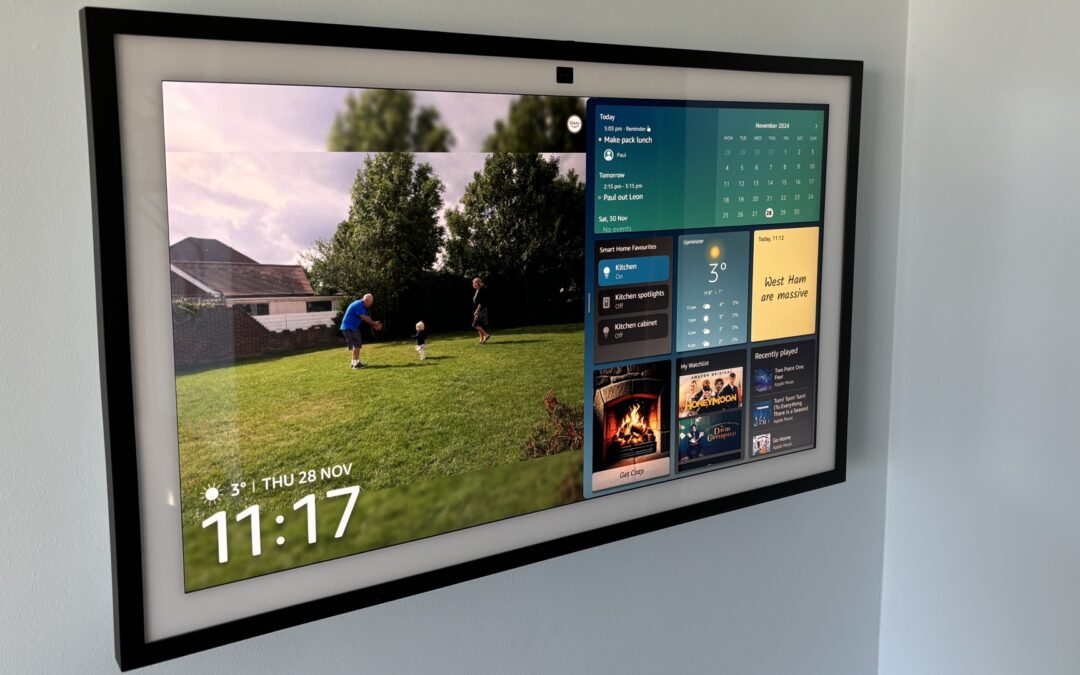
When I first saw the Echo Show 21 Smart Display, I couldn’t help but wonder if Amazon had finally created the ultimate entertainment hub or just taken the Echo line to an extreme. With its massive screen and sleek design, this device promises to transform any room into a connected space for music, video calls, and smart home control.
But does bigger really mean better? I decided to put the Echo Show 21 through its paces to see if it lives up to the hype or if it’s simply an oversized Echo with a few extra tricks. Let’s dive in and find out if this smart display is truly a game-changer or just another addition to Amazon’s growing lineup.
Echo Show 21 Smart Display Overview
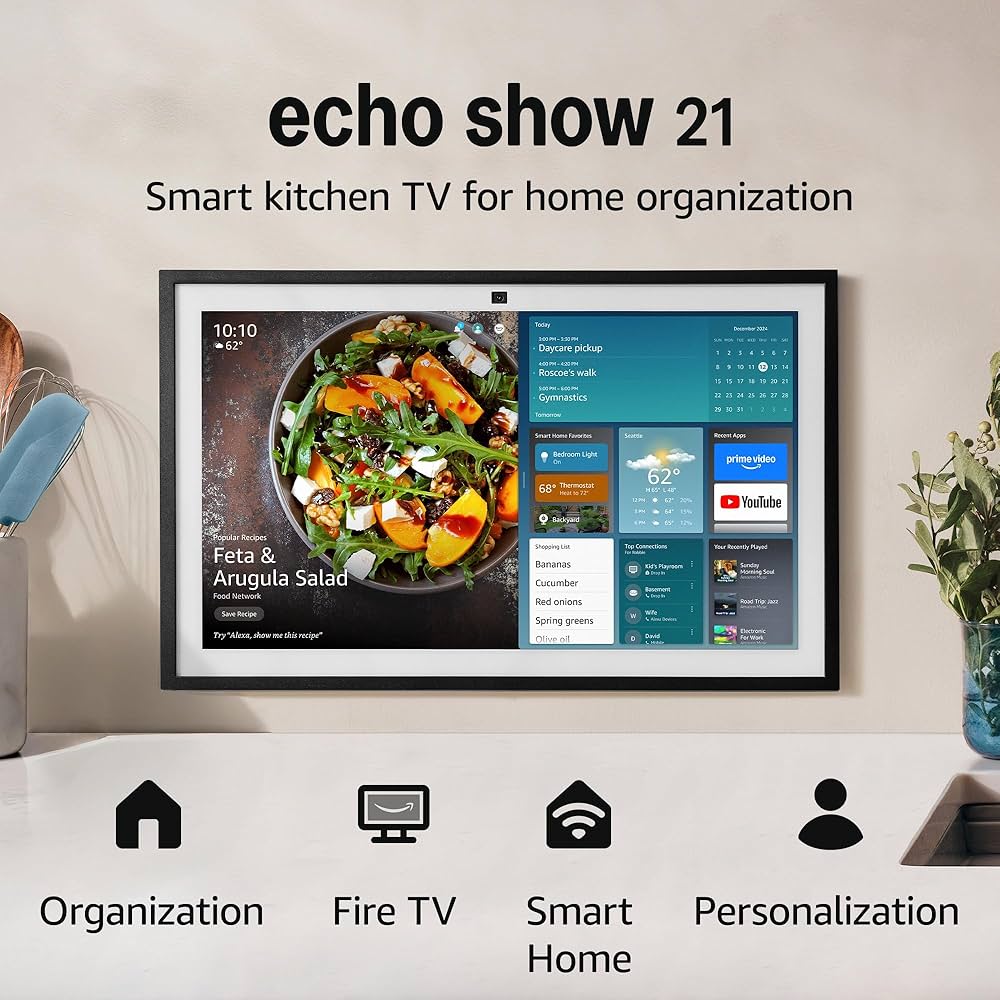
Echo-Show-21-Smart-Display-Overview
The Echo Show 21 takes center stage with a massive 21.5-inch Full HD touchscreen. This feature sets it apart from other Echo Show models and even most competing smart displays. The device supports landscape and portrait orientation with an adaptive stand that tilts and swivels smoothly. I notice the bezels around the display are noticeably slim which gives it a modern immersive look. Amazon offers the Echo Show 21 in either charcoal or glacier white finishes for a minimalist vibe that easily blends into a living room, kitchen, or shared space.
The audio setup includes a pair of front-firing stereo speakers and an integrated 4-inch subwoofer. This is meant to provide powerful audio with defined bass which is a noticeable improvement from previous Echo Show models. Video calling is handled by a 13 MP camera with auto-framing. This keeps me centered—even if I move around during calls. For privacy-conscious users, there is a physical camera shutter and a mic/camera off button. Far-field microphones pick up my voice commands from across a busy room without missing a beat.
Below is a table summarizing some of the key specs for the Echo Show 21:
| Feature | Echo Show 21 Specification |
|---|---|
| Display Size | 21.5-inch touchscreen |
| Resolution | 1920 x 1080 (Full HD) |
| Orientation | Landscape & Portrait |
| Audio | 2x stereo speakers, 1x 4-inch subwoofer |
| Camera | 13 MP with auto-framing |
| Color Options | Charcoal, Glacier White |
| Connectivity | Wi-Fi, Bluetooth, Zigbee, Matter |
| Privacy Controls | Camera shutter, mic/camera off button |
I find that setup is simple and straightforward. A few taps let me connect my Amazon account, Wi-Fi network, and other services. Alexa is at the core of the experience. I get hands-free access to streaming music, video calls, home automation, and smart device management. Supported platforms include Amazon Prime Video, Spotify, Netflix, and more. The screen doubles as a digital photo frame or calendar hub when not in active use.
Here is a quick comparison between the Echo Show 21 and some popular alternatives:
| Model | Display Size | Audio System | Camera | Price Range |
|---|---|---|---|---|
| Echo Show 21 | 21.5″ | Stereo + Subwoofer | 13 MP, Auto-framing | $$$$ |
| Echo Show 15 | 15.6″ | Stereo | 5 MP | $$$ |
| Google Nest Hub Max | 10″ | Stereo | 6.5 MP | $$ |
| Facebook Portal+ | 14″ | Stereo | 12 MP | $$$ |
The Echo Show 21 stands out as the obvious choice for anyone who wants a big-screen experience at home. Its feature set focuses on entertainment streaming and seamless smart home integration. At the same time the physical dimensions mean this display will likely demand a dedicated space to avoid dominating smaller rooms.
Design and Build Quality
Amazon designed the Echo Show 21 as a statement piece in the smart display category. With its 21.5-inch Full HD touchscreen and slim bezels, the first thing I notice is its size and impressive presence. The display offers 1920×1080 resolution, delivering sharp and vivid visuals for everything from streaming videos to digital photos. While the screen’s brightness ensures clarity even in sunlit spaces, I found it can feel too intense out of the box—thankfully, adaptive brightness settings automatically adjust to the room, reducing eye strain as the day shifts.
The brushed finish and minimalist stand give it a polished look that blends well into most modern kitchens, living rooms or even larger home offices. Still, this device is undeniably big. In smaller spaces, it almost commands attention the way a compact TV would, which may not appeal to those who prefer tech to fade into the background.
Amazon offers this display in refined charcoal or glacier white options, both of which show off a high standard of build quality. The chassis feels sturdy and premium, with a solid weight that keeps it stable on most surfaces. A large footprint means I needed to clear sufficient counter or table space, making it less flexible in placement than smaller Echo Shows.
Physical privacy controls are a highlight: a mechanical shutter for the 13 MP camera and a dedicated mic/camera off switch deliver immediate peace of mind. The inclusion of both lets me quickly secure privacy for family or guests, though having more intuitive on-screen prompts for these features would help make the device more approachable for those less familiar with smart home tech.
Echo Show 21 Design & Build Specs
| Feature | Echo Show 21 | Context/Detail |
|---|---|---|
| Screen Size | 21.5 inches | Largest in Echo Show lineup |
| Display Resolution | 1920 x 1080 (Full HD) | Very crisp and bright |
| Available Colors | Charcoal, Glacier White | Matches various decors |
| Camera | 13 MP with privacy shutter | Enhanced video calls |
| Audio | Front-firing stereo + subwoofer | Premium sound for music/video |
| Build Material | Metal & high-quality plastic | Sturdy and premium feel |
| Privacy Controls | Camera shutter, mic/camera off | Easy manual access |
| Adaptive Brightness | Yes | Screen auto-adjusts |
| Dimensions (HxWxD) | Approx. 13.6×21.3×5.7 inches | Requires ample counter space |
Compared to Other Smart Displays
When I place the Echo Show 21 next to competitors like the Google Nest Hub Max or the smaller Echo Show 10, its oversized form becomes even more apparent. For those looking for a discrete, subtle device, this may be a drawback. But anyone searching for a central home display—where design meets function—will likely appreciate its bold presence and high build quality.
| Model | Screen Size | Resolution | Camera | Audio | Privacy Shutter | Adaptive Brightness | Dimensions |
|---|---|---|---|---|---|---|---|
| Echo Show 21 | 21.5″ | 1920×1080 (FHD) | 13 MP | Stereo + Sub | Yes | Yes | 13.6×21.3×5.7″ |
| Echo Show 10 (3rd Gen) | 10.1″ | 1280×800 | 13 MP (swivel) | Stereo | Yes | Yes | 9.9×9.0x6.7″ |
| Google Nest Hub Max | 10″ | 1280×800 | 6.5 MP | Stereo | No | Yes | 7.2×9.9×3.9″ |
Features and Specifications
The Echo Show 21 delivers a wide set of features that aim to make it the centerpiece of any modern smart home or entertainment setup. From its expansive display to deeply integrated Alexa capabilities, here is how each core feature stacks up based on my experience.
Display and Screen Quality
The 21.5-inch Full HD touchscreen stands out immediately with its 1920×1080 resolution. Colors are vivid and details are sharp, which makes streaming Netflix or Prime Video genuinely pleasing—even when viewed from across the room. The screen has minimal bezels, adding to a sleek aesthetic that fits almost anywhere if you have the space. The adaptive brightness driven by the onboard proximity sensor means I rarely find myself adjusting settings manually, and using it as a digital photo frame makes personal photos look stunning.
| Display Feature | Echo Show 21 |
|---|---|
| Screen Size | 21.5 inches |
| Resolution | 1920 x 1080 (Full HD) |
| Adaptive Brightness | Yes |
| Screen Type | Touchscreen |
| Bezel Size | Minimal |
Audio Performance
Audio on the Echo Show 21 is a step up from smaller models in the lineup. The front-firing stereo speakers combined with dual woofers and tweeters produce punchy and clear sound that fills a medium-sized room. I found it more than adequate for casual music, podcasts or TV shows, though the bass depth and volume might leave audiophiles wanting more. For most users, the audio profile strikes a nice balance between power and clarity.
| Audio Feature | Echo Show 21 |
|---|---|
| Speaker Type | Stereo; dual woofers & tweeters |
| Subwoofer | 4-inch front-firing |
| Audio Quality | Punchy, clear, suitable for podcasts and background music |
| Volume Output | High |
Smart Home Integration
I found the smart home controls seamlessly integrated. Alexa voice controls allow me to adjust lights, check camera feeds, change thermostat settings and even monitor compatible doorbells—all through clear voice prompts. Routines and multi-device automations are easy to configure, and the device quickly responds to commands. The Echo Show 21 excels as a home management hub due to this deep integration.
| Supported Functions | Details |
|---|---|
| Voice Control | Yes (Alexa) |
| Device Compatibility | Lights, thermostats, cameras, locks, plugs |
| Automations | Routines, schedules, custom triggers |
| Security Integration | Video doorbells, security cams supported |
Camera and Video Capabilities
The Echo Show 21’s 13MP camera is one of its standout features. Auto-framing follows subjects during video calls, keeping everyone centered even if they move around. With a 3.3x zoom, details remain sharp for both personal calls and remote check-ins. Privacy controls like the physical camera shutter and a microphone/camera disable button add reassurance that I am always in control of my privacy.
| Camera Feature | Echo Show 21 |
|---|---|
| Camera Resolution | 13 MP |
| Zoom | 3.3x digital zoom |
| Auto-Framing | Yes |
| Privacy Controls | Physical shutter, mic/camera off button |
Connectivity Options
Connectivity is robust on this model. With upgraded Wi-Fi speeds, I noticed faster streaming and fewer interruptions. Fire TV support is built-in, making it easy to access popular streaming platforms natively. The included remote echoes the smart TV experience, making navigation intuitive. The setup process was straightforward, requiring only a few steps to connect accounts and devices.
| Connectivity | Echo Show 21 |
|---|---|
| Wi-Fi Standard | Upgraded Fast Wi-Fi |
| Fire TV Integration | Yes, natively supported |
| Remote | Included for media control |
| Ports | Standard for smart displays |
Voice Assistant Functions
Alexa shines on the Echo Show 21. Beyond core voice commands, the device leverages facial and voice recognition to personalize greetings and notifications. Commands for entertainment, news, weather, or smart home control are reliably executed. Alexa’s responsiveness makes multi-tasking easy whether I am busy in the kitchen or across the room.
| Alexa Feature | Support Level |
|---|---|
| Voice Commands | Yes |
| Facial Recognition | Yes |
| Voice Recognition | Yes |
| Personalized Content | Yes |
| Third-Party Skills | Extensive via Alexa |
Performance and User Experience
With its oversized display and genuine smart hub ambition, the Echo Show 21 attempts to offer more than just a visual upgrade. My hands-on experience reveals strengths in setup simplicity, interface usability, and entertainment flexibility—all anchored by Alexa’s dependable smart home integration.
Ease of Setup
Setting up the Echo Show 21 could not be easier. After plugging in the display and connecting it to my Wi-Fi network, I was guided step-by-step through the initial configuration via a clear on-screen walkthrough. Logging in with my Amazon account took seconds, and Alexa quickly recognized my voice profile, even suggesting custom routines for my connected devices. Pairing with smart devices like Philips Hue lights and Ring cameras was seamless using only my voice or the touchscreen.
| Setup Aspect | Experience |
|---|---|
| Wi-Fi Connection | Fast, supports Wi-Fi 6E |
| Amazon Account Pairing | Quick and secure |
| Smart Device Integration | Effortless with Alexa |
| Initial Configuration | Easy-to-follow on-screen guide |
Interface and Responsiveness
Navigating the Echo Show 21’s interface feels fluid and intuitive. The large 21.5-inch touchscreen makes icons and widgets easy to locate and tap, while the Full HD resolution delivers sharp, legible visuals. Swiping through menus or dragging widgets is responsive, with minimal input lag. I appreciate the proximity sensor that wakes the device and adjusts brightness according to the room’s lighting—especially handy if the screen sits in a busy kitchen.
Facial and voice recognition personalize displayed information like calendars and news briefs, adding a thoughtful touch to the daily routine. However, the wide display can be harder to read from sharp side angles, and sunlight glare is noticeable if placed opposite a window.
| Interface Feature | Real-World Impact |
|---|---|
| Touchscreen | Fast, accurate responses |
| Proximity Sensor | Adjusts brightness automatically |
| Personalization | Facial/voice recognition works well |
| Viewing Angles | Limited on far sides |
Entertainment and Content Options
The Echo Show 21 thrives as a multi-purpose home entertainment hub. With built-in Fire TV integration, I can browse and stream Netflix, Prime Video, Hulu, and more straight from the display. The included remote makes it feel like a secondary TV, especially with the optional adjustable stand for better viewing angles. Music and podcasts from Spotify or Amazon Music fill mid-sized rooms easily, though the audio lacks the bass punch true audiophiles might seek.
For family calls, the 13MP camera with auto-framing keeps everyone in view, making chats more natural whether I am at the counter or the couch. When idle, it seamlessly shifts to display family calendars, personal photos, weather, or news, transforming the screen into an information center.
| Entertainment Option | Supported Apps/Features |
|---|---|
| Streaming | Netflix, Prime Video, Hulu, more |
| Audio/Podcasts | Spotify, Amazon Music, Audible |
| Video Calls | 13MP camera, auto-framing |
| Smart Home Access | Lighting, cameras, thermostats |
| Passive Use | Photo frame, calendar, news |
The combination of large, sharp visuals and rich content choices sets the Echo Show 21 apart from other smart displays, even if some will see it as a niche fit for kitchens or central gathering spaces.
Advantages of the Echo Show 21
One of the biggest draws for me with the Echo Show 21 Smart Display is its outstanding mix of display size, versatility, and integration options. Here are the standout advantages that make this device notable in a crowded market.
Expansive and Vivid Display
The 21-inch Full HD (1920×1080) touchscreen is a game changer, especially when comparing it to other smart displays. Streaming TV shows or using it as a kitchen TV feels more immersive and enjoyable thanks to the sheer screen real estate. Even though it does not reach 4K or QHD resolutions, the display clarity and color precision still outperform most comparable devices. Text and images stay sharp whether I am following a recipe or video calling with family.
| Device | Screen Size | Resolution |
|---|---|---|
| Echo Show 21 | 21.5 inches | 1920×1080 |
| Google Nest Hub Max | 10 inches | 1280×800 |
| Echo Show 10 (3rd Gen) | 10.1 inches | 1280×800 |
Built-in Fire TV and Enhanced Controls
Having Fire TV integrated directly into the Echo Show 21 is a unique advantage. I no longer need a separate streaming stick or additional box cluttering up my counter. Switching between Netflix, Disney+, and Prime Video feels seamless. The included Fire TV remote goes beyond simple voice commands or touch controls, letting me quickly navigate menus without getting flour on the screen if I am cooking. This blend of interfaces fits multitasking in busy households, especially in a kitchen setting.
Upgraded Audio Performance
The audio output here stands out in the Echo family. With two woofers, tweeters, and double bass, the speakers offer deeper lows and crisper highs than any previous Echo Show I have tested. Amazon’s room adaptation technology adjusts audio based on the device’s placement for a fuller listening experience. While audiophiles may still want to use external speakers, for everyday music and streaming I find the sound quality more than sufficient.
| Feature | Echo Show 21 | Echo Show 10 (3rd Gen) |
|---|---|---|
| Audio Setup | 2 woofers, tweeters, double bass | 2 speakers, no double bass |
| Room Adaptation | Yes | No |
Advanced Video Calling and Privacy
The 13MP wide-angle camera brings a new level of clarity to video calls. Auto-framing is responsive and keeps me in view as I move, which feels natural during lively conversations. With a 3.3x zoom and advanced noise reduction, my voice comes through clearly even when the house is busy. I appreciate Amazon’s transparent privacy options with physical mic and camera shutoff switches, plus a mechanical shutter for the lens.
Powerful Smart Home Hub Integrations
With native support for Matter, Zigbee, Thread, and Wi-Fi 6E, this device acts as a direct smart home hub. I can add everything from smart lights to security cameras without a tangle of extra hubs. Having full Alexa voice controls and a responsive touchscreen means I can manage routines and devices in any way that suits the moment.
| Protocol Support | Echo Show 21 | Echo Show 10 |
|---|---|---|
| Matter | Yes | No |
| Zigbee | Yes | Yes |
| Thread | Yes | No |
| Wi-Fi 6E | Yes | No |
Versatile Design and Placement
The Echo Show 21 is designed as both a showpiece and a practical tool. The included wall-mount hardware means I can install it at eye level in my kitchen or living room, turning it into an art display when not in use. If wall-mounting is not ideal, a premium adjustable stand is available for countertop placement, though this accessory is sold separately. In either setup, the device blends functionality with a modern aesthetic.
These combined advantages make the Echo Show 21 more than just an oversized Echo. Its thoughtful enhancements in display, audio, connectivity, and smart home control elevate the user experience above standard smart displays in real-world scenarios.
Disadvantages of the Echo Show 21
When I put the Echo Show 21 through its paces, several drawbacks became clear that set it apart from smaller or even more affordable smart displays. Despite its premium positioning and feature list, some practical and user experience challenges may impact everyday use.
Screen Quality and Interface
The 21.5-inch screen is impressive for its size, but I found the vibrancy and overall clarity somewhat underwhelming. Reading recipes or small text can be difficult, especially from a distance. The interface also feels busier than it should, with limited useful widget options and a layout that can be confusing if you are new to smart displays. This cluttered user experience makes it harder to customize or quickly access preferred content.
| Feature | Expectation | Reality with Echo Show 21 |
|---|---|---|
| Screen Vibrancy | Bright and crisp | Dull and sometimes hard to read |
| Interface | Simple and intuitive | Cluttered and unintuitive |
| Widget Selection | Wide variety, easily customizable | Limited useful widgets |
Amazon-Centric Ecosystem
The Echo Show 21 works best if you are deeply invested in Amazon’s ecosystem. It does not play nicely with third-party hardware. For instance, I could not stream directly to Sonos speakers or view music information from non-Amazon sources. This forced me to use Amazon services more than I wanted, making the system feel restrictive compared to platforms that allow broader compatibility.
| Ecosystem Limitation | Resulting User Restriction |
|---|---|
| Sonos streaming support | Not supported |
| Non-Amazon device info | Not displayed on screen |
Installation and Portability Issues
The Echo Show 21 is large and heavy. Installing it on a wall is a task that often needs specialist help, which adds extra cost and effort. While there is an optional tabletop stand, it comes at an additional price and takes up a lot of counter or table space. Unlike smaller Echo Shows, I could not just pick it up and move it elsewhere—this limits flexibility if I want to rearrange rooms or take the display to another location.
| Installation Factor | Echo Show 21 | Standard Echo Show Devices |
|---|---|---|
| Wall Mounting | Tricky, may need a specialist | Simple, often do-it-yourself |
| Portability | Not portable, fixed position | Lightweight, easy to move |
| Optional Stand | Extra cost | Usually included or not required |
Price vs. Value Concerns
At roughly $400, this smart display is much more expensive than most alternatives. While the large screen and extra features try to justify the price, average audio quality and missing HDMI input make the value equation tricky. For the investment, I expected theater-quality sound and more connectivity options. Instead, the speakers perform on par with smaller smart displays, and there is no way to use the device as a true TV for cable boxes or gaming consoles.
| Device | Price | Speaker Quality | HDMI Input |
|---|---|---|---|
| Echo Show 21 | ~$400 | Average for category | No |
| Echo Show 10 | ~$250 | Satisfactory | No |
| Google Nest Hub Max | ~$230 | Comparable or better | No |
Intrusive Ads and Promotions
Straight out of the box, the Echo Show 21 shows frequent ads and product suggestions for Amazon services and deals. I found this cluttered the screen and felt intrusive when using the device as a kitchen hub or digital photo frame. While I could disable ads through settings, I had to dig around to find the option, and Amazon sets this to “on” by default rather than asking for my preferences up front.
No HDMI Input
Given the screen size, I expected a straightforward way to connect external devices like cable boxes or gaming consoles. But there is no HDMI input, which limits the display’s versatility. Anyone hoping to combine this with traditional media hardware will be disappointed by this omission.
Summary Table of Disadvantages
| Disadvantage | Details |
|---|---|
| Screen Quality | Lacks vibrancy, challenging for reading |
| Interface | Cluttered, limited customization options |
| Ecosystem Limitations | Poor third-party integration, especially with non-Amazon audio |
| Installation | Heavy, tricky wall mount, optional stand costs extra |
| Portability | Fixed placement, not movable |
| Price | Expensive, value diminished by average audio and missing HDMI |
| Ads | Frequent by default, require manual disabling |
These drawbacks make the Echo Show 21 more of a niche device, best suited for those fully committed to the Amazon ecosystem who want a large stationary smart hub and are willing to accept trade-offs in customization, flexibility, and value.
Comparison With Other Smart Displays
When it comes to big-screen smart displays, the Echo Show 21 stands out. Still, it faces competition from within Amazon’s own lineup and from Google’s top option. Here is how it holds up in the real world.
Echo Show 15 vs. Echo Show 21
The Echo Show 21 leaps ahead of the Echo Show 15 with its sheer size and extra features. Both offer a 1080p resolution, but the Echo Show 21 stretches that across a massive 21.5-inch screen for a bolder viewing experience. The Echo Show 21 also packs improved audio hardware and Wi-Fi, making it more suitable for media and smart home control.
| Feature | Echo Show 15 | Echo Show 21 |
|---|---|---|
| Screen Size | 15.6″ | 21.5″ |
| Resolution | 1920 x 1080 | 1920 x 1080 |
| Audio | Stereo speakers | 2 woofers, tweeters |
| Included Remote | No | Yes |
| Camera | 5 MP | 13 MP with auto-framing |
| Wi-Fi | Wi-Fi 5 | Wi-Fi 6E |
| Stand Options | Wall-mount, optional stand | Countertop or wall with adjustable stand |
The larger Echo Show 21 feels more “TV-like” on a kitchen counter or as a living room display. A remote for Fire TV features comes in the box, giving it a strong edge for streaming compared to the Echo Show 15. Audio sounds richer on the newer model, thanks to two woofers and tweeters, but neither will replace a full stereo system. The camera upgrade is noticeable during video calls, with sharper visuals and auto-framing.
However, both models share an issue: viewing angles. While decent, the screen can look faded from the sides, and that can matter in big rooms or open kitchens.
Google Nest Hub Max vs. Echo Show 21
Google’s Nest Hub Max is much smaller, but it has carved out a loyal audience. The key trade-offs come down to size, voice assistant capabilities, and smart home compatibility.
| Feature | Nest Hub Max | Echo Show 21 |
|---|---|---|
| Screen Size | 10″ | 21.5″ |
| Resolution | 1280 x 800 | 1920 x 1080 |
| Audio | 2.1 speakers | 2 woofers, tweeters |
| VO Assistant | Google Assistant | Alexa |
| Camera | 6.5 MP | 13 MP with auto-framing |
| Included Remote | No | Yes |
| Ideal Use Case | Desk, bedside | Kitchen, living room, countertop |
The Nest Hub Max is easy to plant on a desk or nightstand, but it does not compete with the Echo Show 21’s screen real estate. The larger Amazon display is much more enjoyable for cooking videos and streaming shows. For video calls, the Echo Show 21’s bigger, higher-res camera is a plus.
Voice interaction can be a toss-up. I find Google Assistant more conversational and natural, but Alexa’s overall smart home reach and skill library are superior—especially if your devices are already Alexa-based.
The Echo Show 21’s Wi-Fi 6E support is more futureproof, and having a Fire TV remote included turns it into a true kitchen TV in a way the Nest Hub Max cannot match. Still, if you want a display for a small shelf or to serve as a subtle Google smart home screen, the Nest Hub Max is better for tight spaces.
| Key Advantages | Echo Show 21 | Nest Hub Max |
|---|---|---|
| Screen Size | Best for media, visibility | Compact, fits anywhere |
| Smart Home Integration | Broadest third-party support | Excellent with Google ecosystem |
| Audio | Punchy, can fill large room | Balanced, but less powerful |
| Video Calls | Larger, clearer camera | Good camera, less immersive |
| Voice Assistant | Alexa’s versatility | More human-like speech |
Overall, the Echo Show 21 is best for those who want the biggest entertainment hub with full Alexa integration and are ready to give it space, while the Nest Hub Max is friendlier for smaller settings and fans of Google’s approach.
Hands-on Experience and Testing
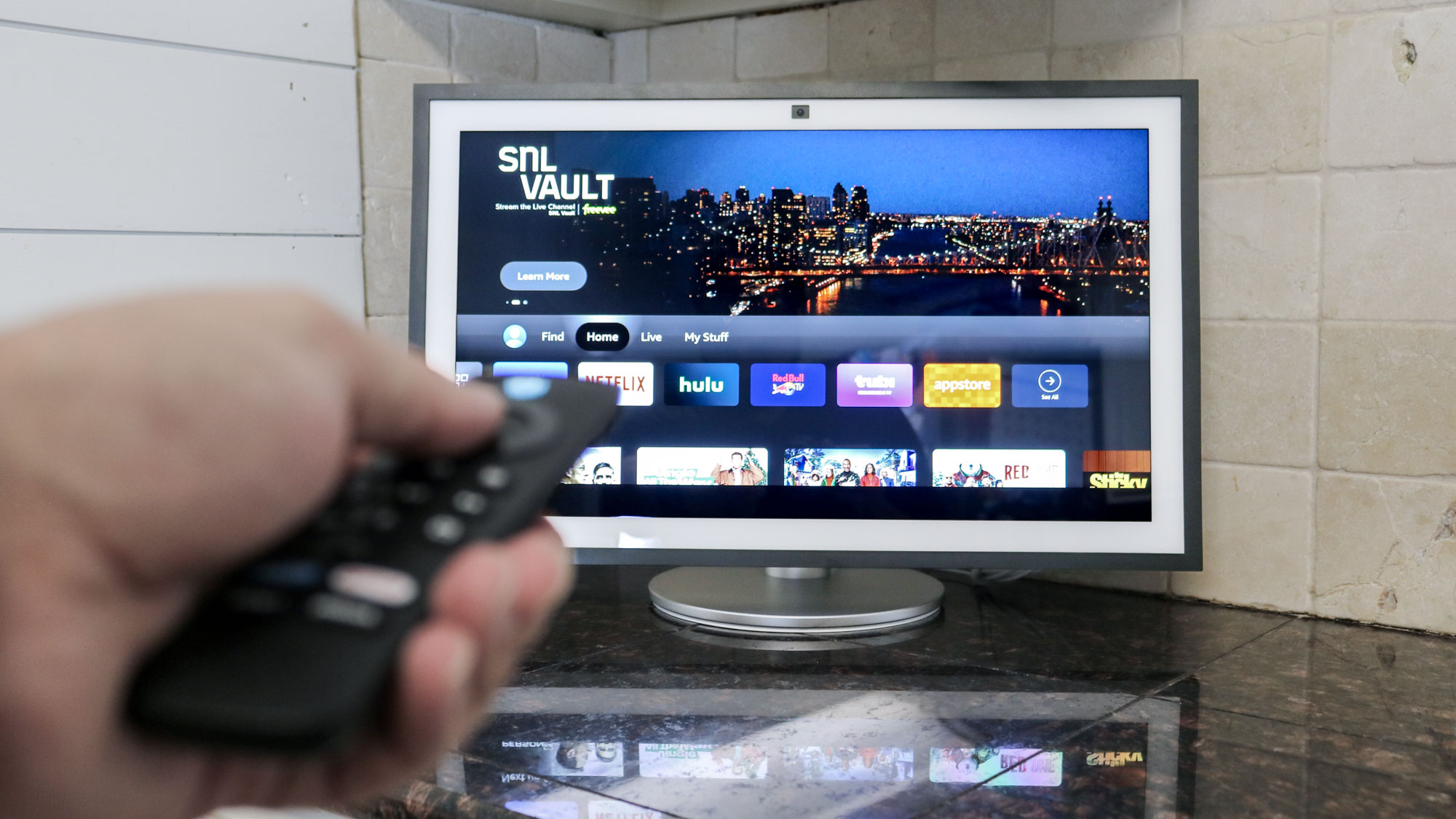
Hands-on-Experience-and-Testing
Testing the Echo Show 21 in my living room made its signature 21.5-inch Full HD screen impossible to ignore. While streaming a recent movie, I noticed that the image quality was bright and crisp, especially in dim lighting. The display’s vibrant colors made family photo slideshows pop and video content looked immersive. Still, when I viewed the screen from sharp angles or with direct sunlight streaming in, there was a clear drop in clarity and vibrancy. If you want the best image, you need to view it head-on and avoid strong backlighting.
Audio performance was another step up from previous Echo models. The two 2-inch woofers and accompanying tweeters filled my open kitchen and living area with punchy, room-filling sound. With room adaptation technology activated, the music sounded noticeably fuller, adjusting automatically as I moved around. However, as someone used to premium bookshelf speakers, I found that audiophiles expecting deep bass and intricate sound details might still want an external speaker set for the highest quality. For casual TV shows, calls, and music, though, it covered almost every need.
Video calling was a major highlight in my experience. The improved 13MP camera uses noise reduction, 3.3x zoom, and auto-framing. On test calls, I could move around the kitchen prepping meals and the camera kept me in the frame smoothly. The wider field of view meant the entire family could jump in on calls without awkward repositioning. Voices came through clear even with background noise from home appliances. The physical shutter and mic/camera off button added peace of mind when not in use.
Smart home control performed reliably. With Matter, Thread, Zigbee, and Wi-Fi 6E support, I quickly paired smart lights and sensors from different brands. The built-in hub pulled everything into a single dashboard. The proximity sensor was also useful — as I approached, the display automatically brightened and offered personalized content like my calendar and smart device controls.
The included Alexa remote was a nice touch, especially when using Fire TV features. It gave me quick access to streaming controls without smudging the touchscreen. The option to wall mount or (with an optional $99–$135 stand) prop the display at eye level was handy for different room layouts. I did find that the device can feel a bit oversized on smaller counters, matching my initial impression that it’s aimed at bigger, multi-purpose rooms or shared family spaces rather than cramped kitchens.
Display and Audio Performance
| Feature | Echo Show 21 | Echo Show 15 | Google Nest Hub Max |
|---|---|---|---|
| Screen Size | 21.5” (1920×1080) | 15.6” (Full HD) | 10” (HD) |
| Audio | 2x 2” woofers, tweeters | 2x 1.6” speakers | 2x 18mm tweeters, 75mm woofer |
| Viewing Angle | Good front on | Adequate | Wider |
| Room Adaption | Yes | No | No |
Key Testing Highlights
| Aspect | My Experience | Standout Feature |
|---|---|---|
| Setup | Smooth and simple | Fire TV and Alexa unified |
| Display Use | Crisp head-on, fades at angles | Full HD, big for photos |
| Audio | Rich, best in family/kitchen areas | Dual woofers, adaptable |
| Video Calls | Clear, accurate auto-framing, wide FoV | 13MP, noise reduction |
| Smart Home | Reliable hub, fast pairing | Supports Matter, Zigbee |
| Accessories | Wall mount included, remote in box | Optional stand ($99–$135) |
| Usability | Large size, limited for small spaces | Designed for larger rooms |
With daily use, I found the Echo Show 21 well-suited for active family hubs, kitchens, or multi-use living spaces where both size and functionality matter. Setup was fast, video calls were reliable, and streaming controls via Fire TV were easy to manage with the included remote. However, its sheer footprint limits its flexibility in small apartments or minimalistic workspaces.
Who Should Buy the Echo Show 21?
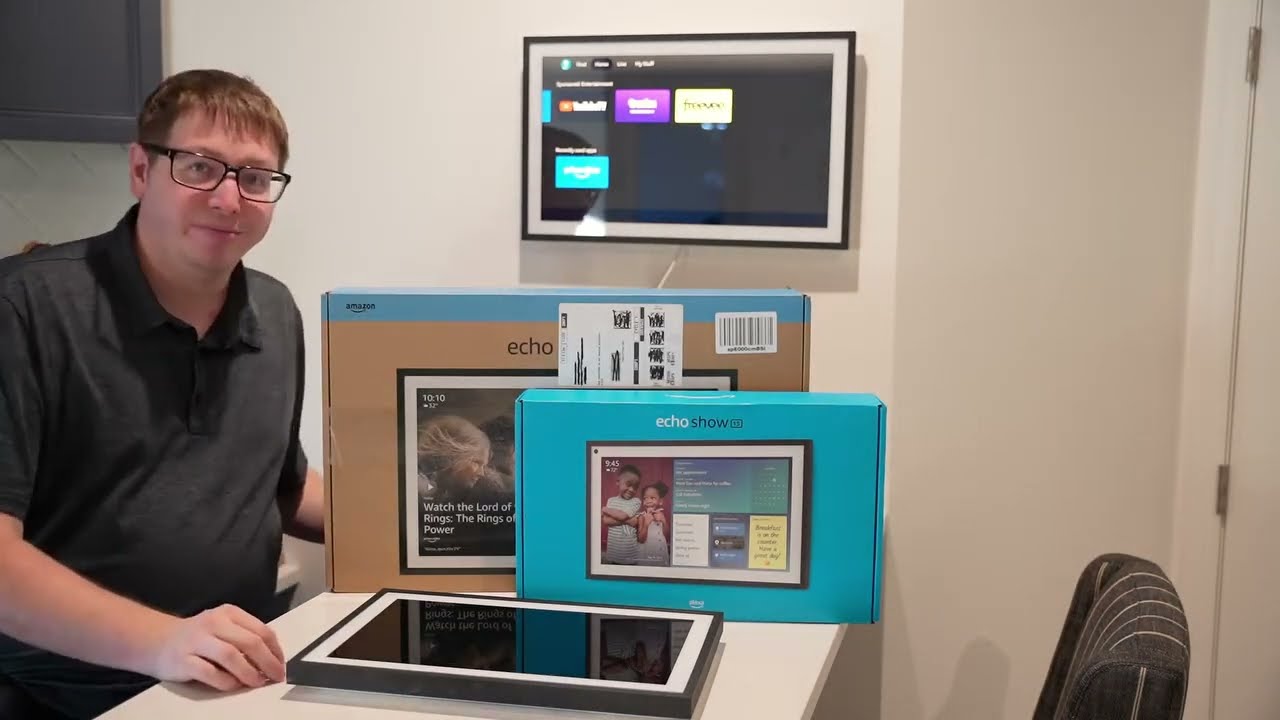
Who-Should-Buy-the-Echo-Show-21
The Echo Show 21 shines brightest for specific users who need a large smart display at the center of their home tech setup. From my experience and research, I have found that its feature set and price make it ideal for some people while less practical for others. Here is a breakdown of who will get the most value from this device.
Entertainment-Focused Households
If you crave an immersive streaming and music experience in your kitchen or living room, this display is hard to beat. The built-in Fire TV with the included remote transforms the Echo Show 21 into a true entertainment hub. Streaming Netflix, Prime Video, Hulu, and Spotify looks great on the expansive Full HD screen. Its size pulls family and guests in for shared viewing sessions or music playlists at parties. This device outperforms smaller smart displays if entertainment is a top priority.
Smart Home Enthusiasts
Anyone with a growing list of smart home devices will benefit from the Echo Show 21’s advanced compatibility. If you use Zigbee, Matter, or Thread-enabled lighting, cameras, or thermostats, the Show 21 acts as a central command point — no extra hub required. I find that its large interface and voice commands simplify daily routines like checking security cams or adjusting lights, especially if you already use Alexa frequently.
Video Callers and Family Connectors
Frequent video callers will appreciate the Echo Show 21’s 13MP camera, which auto-frames and zooms to keep everyone in view. Family catchups and virtual meetings feel more personal and natural on such a big screen. The proximity sensor is another benefit, adjusting brightness so you are always clearly seen, no matter the time of day.
Users Wanting a Stylish Command Center
The Echo Show 21 can be a digital photo frame, interactive calendar, and kitchen TV all at once. For open plan homes or busy kitchens with plenty of counter or wall space, it becomes more than a tech gadget—it is a daily organizer and display piece that blends into modern decor. The optional adjustable stand, though extra, makes it even more versatile.
Value-Oriented Buyers: Is It Worth It?
For budget-conscious buyers or those interested mainly in basic smart home control, the Echo Show 21 may be overkill. At $400 (plus $99 for the stand), it demands a premium that only makes sense if you will fully use all its capabilities. Users mainly wanting voice assistants, compact size, or minimal distraction may be better off with models like the Echo Show 8, Echo Show 10, or the Echo Hub.
Let me break down the target audiences and use cases for quick reference:
| Ideal Buyer Group | Main Uses | Why Echo Show 21 Fits |
|---|---|---|
| Entertainment Seekers | TV streaming, music playback, family movie night | Large screen, built-in Fire TV, remote |
| Smart Home Power Users | Device control, camera feeds, automations | Zigbee, Thread, Matter support |
| Video Call Enthusiasts | Family meetings, connecting with relatives | 13MP auto-framing camera, large display |
| Design-Focused Households | Digital calendar, photo frame, kitchen TV | Minimalist design, wall/countertop mount |
| Families with Shared Spaces | Room calendar, multi-user comms, home dashboard | Big interface, easy-to-see notifications |
| Budget-Conscious/Shallow Use Cases | Basic Alexa, small spaces | Echo Show 8 or Hub is more practical |
Comparison Summary: Who Should Avoid It?
| User Type | Why Echo Show 21 May Not Fit | Alternative Recommendation |
|---|---|---|
| Small Apartment Residents | Too large, takes up space | Echo Show 8 or Echo Show 10 |
| Audiophiles | Average sound, lacks HDMI input | Echo Show 10 + external audio |
| Google Ecosystem Loyalists | Alexa-centric, no Google Assistant | Google Nest Hub Max |
| Price-Sensitive Users | High price for basic features | Echo Show 8, Echo Hub |
From my perspective, users who demand a rich multimedia and smart home command experience—and have the space and budget—will genuinely benefit from the Echo Show 21. For lighter needs or smaller rooms, there are more practical and affordable alternatives in Amazon’s lineup.
Conclusion
After spending time with the Echo Show 21 I can say it’s a bold step forward for Amazon’s smart display lineup. The sheer size and feature set make it stand out as a true entertainment hub—if you’ve got the space and budget to match.
It won’t be for everyone but for those who want an all-in-one device that manages smart home controls streams content and handles video calls with ease it’s hard to beat. Just be sure you’re ready for its footprint and fully invested in the Amazon ecosystem before making the leap.
Frequently Asked Questions
What is the Echo Show 21 Smart Display?
The Echo Show 21 is Amazon’s largest smart display, featuring a 21.5-inch Full HD touchscreen, powerful speakers, and integrated Alexa. It’s designed to be an all-in-one entertainment hub and smart home control center.
How is the Echo Show 21 different from other Echo Show devices?
The Echo Show 21 stands out with its larger screen, upgraded audio with dual woofers, and better video call experience. It also features built-in Fire TV and enhanced Wi-Fi, making it more suitable for streaming and smart home control than smaller Echo Show models.
What are the main advantages of the Echo Show 21?
Key advantages include its expansive and vivid display, improved audio quality, advanced 13MP camera with auto-framing, and seamless integration with Alexa for smart home control and streaming. Its modern design also looks stylish in larger living spaces.
Does the Echo Show 21 support popular streaming services?
Yes, the Echo Show 21 supports major streaming platforms such as Netflix, Prime Video, Hulu, and more through the integrated Fire TV feature.
Can I control my smart home devices with the Echo Show 21?
Absolutely. You can control compatible lights, thermostats, cameras, and other smart devices using Alexa voice commands or the touchscreen interface.
Is the Echo Show 21 suitable for video calls?
Yes, the 13MP camera with auto-framing and noise reduction makes it great for video calls. It also includes a physical privacy shutter and mic/camera off button for added security.
What privacy features does the Echo Show 21 offer?
The Echo Show 21 includes a physical camera shutter, a dedicated mic/camera off button, and customizable privacy settings within the device’s software to give users control over their data and camera.
Is the Echo Show 21 easy to set up?
Yes, setup is straightforward with a guided on-screen process. You simply connect to Wi-Fi, log in with your Amazon account, and follow the prompts to integrate apps and smart devices.
Can the Echo Show 21 be wall-mounted?
Yes, the Echo Show 21 is designed to be either wall-mounted or placed on a countertop, giving you flexibility in placement depending on your space.
What are the main drawbacks of the Echo Show 21?
Some drawbacks include its large size requiring ample space, interface clutter, limited customization, average audio quality for the price, lack of third-party hardware support, and a higher price point. Ads and promotions can also be intrusive.
Who should consider buying the Echo Show 21?
The Echo Show 21 is best for homes focused on entertainment, frequent video calls, robust smart home control, and users who want a central command center. It’s ideal for those heavily invested in the Amazon ecosystem and who have the space for a larger display.
How does the Echo Show 21 compare to the Google Nest Hub Max?
The Echo Show 21 offers a larger screen and superior audio, making it better suited for media and smart home control. The Nest Hub Max, while smaller, fits better in tight spaces and integrates seamlessly with Google services. Choose based on your ecosystem preference and space.