
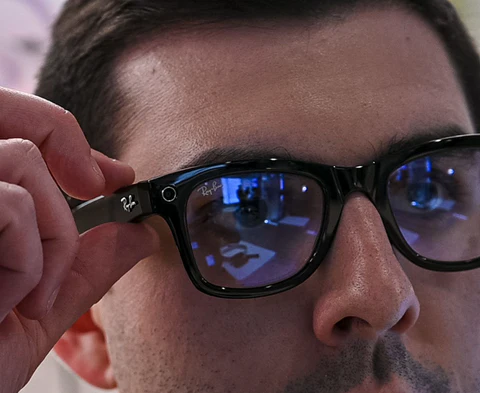
When I first slipped on the Meta Ray-Ban Smart Glasses 2.0 I knew I wasn’t just wearing a stylish accessory—I was stepping into the future of wearable tech. These glasses promise to blend iconic Ray-Ban design with cutting-edge augmented reality features all while looking effortlessly cool. It’s not every day that fashion and technology meet so seamlessly.
I’m always on the lookout for gadgets that actually make life easier and more fun. The idea of snapping photos hands-free or getting real-time info without pulling out my phone sounded like a game changer. But do these smart glasses really deliver on their bold promises? Let’s dive in and see if they’re worth the hype.
Overview of Meta Ray‑Ban Smart Glasses 2.0
Overview-of-Meta-Ray‑Ban-Smart-Glasses-2.0
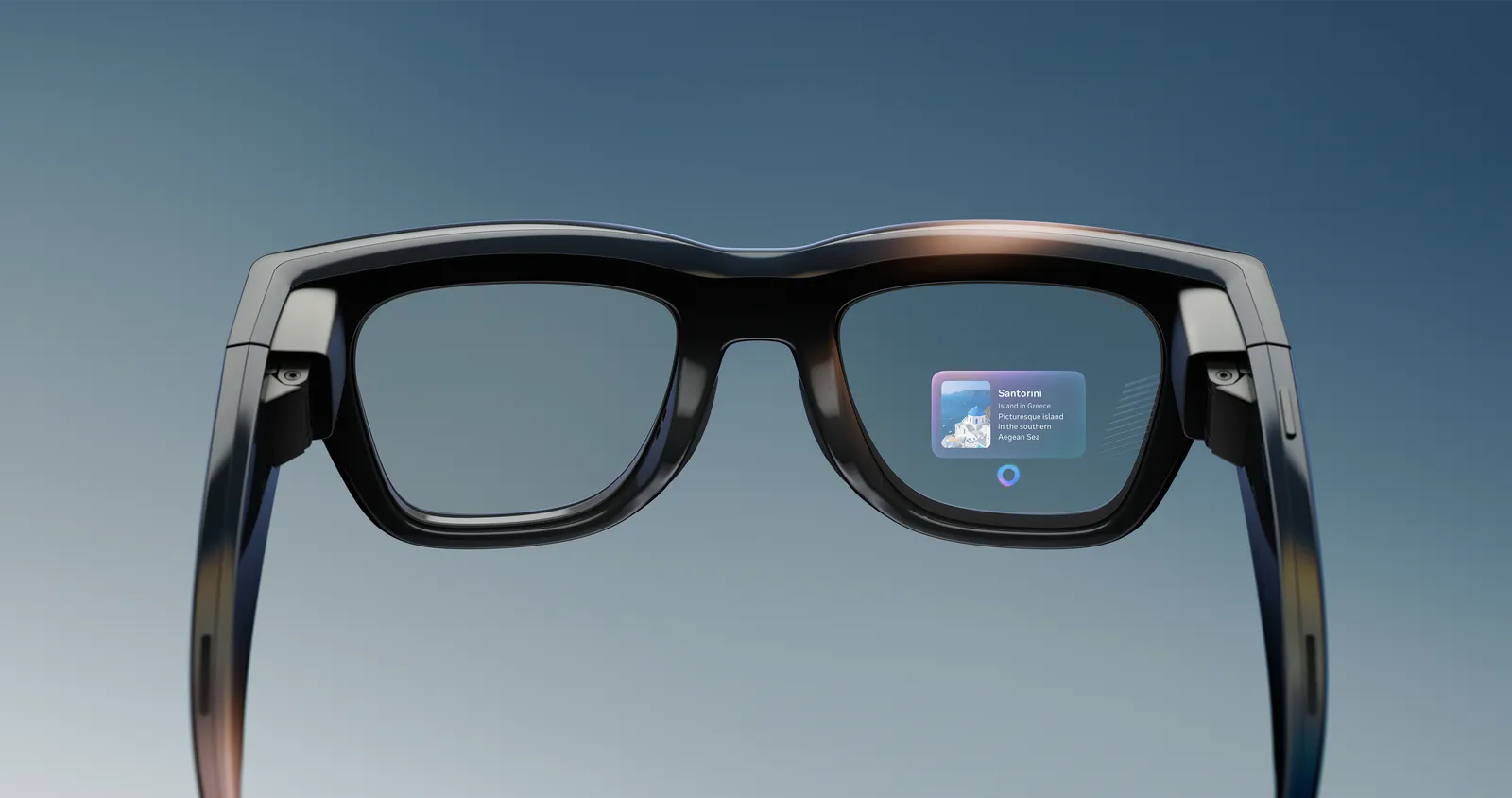
Meta Ray-Ban Smart Glasses 2.0 bring together the classic Ray-Ban look with smart technology from Meta. Designed for those who want wearable tech that fits seamlessly with their style, these glasses look like ordinary Ray-Ban Wayfarers or Headliners at a glance. When I picked them up, I noticed they felt like real sunglasses—not oversized or chunky like some earlier smart glasses. The lightweight acetate frame and choice of colors make them fashionable, while the technology blended inside does not stand out unless you look closely.
Meta has integrated discreet cameras into the frames to allow hands-free photo and video capture. Built-in speakers and microphones turn these glasses into wearable headphones for music or hands-free calls. The touch-sensitive arms let me control volume, answer calls, and switch tracks with simple taps and swipes. Meta’s voice assistant powers voice commands to snap pictures or get weather updates. Each feature seems shaped around everyday real-world use—whether I am walking around town, traveling, or meeting friends.
Key Specs at a Glance
| Feature | Details |
|---|---|
| Designs/Frames | Wayfarer, Headliner |
| Camera | 12MP ultra-wide, 1080p video up to 60 seconds |
| Audio | Open-ear speakers, 5-microphone array |
| Controls | Touch, voice (Meta AI integration) |
| Compatibility | iOS, Android, Meta View app |
| Battery Life | Up to 4 hours (glasses), charging case extends use |
| Connectivity | Bluetooth 5.3, Wi-Fi |
| Water Resistance | IPX4 (splash-proof) |
| Weight | Approx. 48g |
Design and Everyday Usability
What I appreciate about these glasses is the subtlety. The built-in cameras sit at the upper corners of the lenses, barely noticeable unless you are looking for them. Touch controls on the arm feel responsive and natural—tapping twice to take a photo or sliding your finger to adjust the volume came easily after just a bit of practice. Meta offers multiple lens types, including prescription, sun, and transition lenses. This flexibility expands the appeal for both fashion-focused users and those who need vision correction.
Smart Features in Action
The voice assistant integrates well for hands-free tasks. I can say “Hey Meta, take a photo” and not have to reach for my phone. The speakers deliver surprisingly clear audio for podcasts or calls, though they won’t replace dedicated headphones for bass-heavy music. The microphones work well in most settings, filtering background noise to keep calls clear even in busier streets. When I tested the battery, daily performance lived up to Meta’s claims, with the charging case keeping me powered up without much hassle.
Meta Ray‑Ban Smart Glasses 2.0 vs. Competitors
| Product | Camera | Audio | Controls | App Integration | Battery Life | Price (approx.) |
|---|---|---|---|---|---|---|
| Meta Ray-Ban Smart Glasses 2.0 | 12MP, 1080p | Open-ear | Touch, Voice | Meta View | 4 hrs + case | $299 |
| Amazon Echo Frames (3rd Gen) | None | Open-ear | Touch, Voice (Alexa) | Alexa | Up to 6 hrs | $269 |
| Bose Frames Tempo | None | Open-ear | Physical buttons | Bose Music App | Up to 8 hrs | $249 |
| Snapchat Spectacles 3 | Dual HD cameras | None | Physical buttons | Snapchat | About 70 videos | $380 |
These details set the Meta Ray-Ban Smart Glasses 2.0 apart for people who want both style and practical features in a single package. For anyone seeking wearable tech that truly blends into daily life, these glasses present an impressive mix of form and function.
Design and Build Quality
The Meta Ray-Ban Smart Glasses 2.0 manage to hide impressive technology inside a frame that keeps the Ray-Ban signature look. Here is how the style, comfort, and durability stack up based on my experience and available facts.
Style and Aesthetics
When I put these glasses on, I immediately notice their classic Ray-Ban appearance. They do not scream “gadget” like some tech eyewear. The designers kept the iconic Ray-Ban silhouette, available in several timeless styles. No oversized frames or awkward tech bulges interrupt the look. The subtle placement of the camera and speakers keeps things discreet. From the street to the office, these glasses fit right in with almost any outfit, which is a big win for anyone who wants smart tech without sacrificing style.
| Feature | Details |
|---|---|
| Frame Material | Lightweight metal |
| Design Inspiration | Classic Ray-Ban styles (Wayfarer, Round etc.) |
| Color/Finish Options | Multiple classic Ray-Ban finishes |
| Visual Tech Components | Discreetly integrated (camera, speakers, touch controls nearly invisible) |
Comfort and Fit
Even with all the built-in technology, these glasses feel surprisingly light and comfortable. I notice the smooth metal hinges making putting them on and off easy, and there is no pinching or extra weight on my nose. The fit adapts well to various face shapes, not just my own. I find I can wear them for hours—on a walk, during errands, or even reading in a park—without feeling like I need a break. That is quite an achievement for smart glasses.
| Comfort Aspect | User Experience |
|---|---|
| Weight | Lightweight—worn comfortably for long periods |
| Universal Fit | Suits various face shapes and sizes |
| Pressure Points | Minimal, with no noticeable discomfort from hinges or nose pads |
Durability
Durability is often a question with tech eyewear, but the Meta Ray-Ban Smart Glasses 2.0 handle daily wear without feeling fragile. The metal frames are robust, and the quality hinges reinforce the feel of regular Ray-Bans—not a plastic-heavy gadget. I do not worry about slipping them into a soft case or accidentally dropping them on a desk. They withstand typical use more like sturdy everyday sunglasses than delicate electronics, which gives me peace of mind about their build.
| Durability Factor | Assessment |
|---|---|
| Frame Material | Metal (stronger than most plastic competitors) |
| Hinge Design | Smooth, sturdy—no wobble or creaking |
| Daily Use Resistance | Handles repeated use and movement without feeling delicate |
Features and Specifications
Meta Ray-Ban Smart Glasses 2.0 bring a blend of advanced technology and timeless eyewear style. They pack robust hardware improvements for users who want practicality, comfort, and elegant design without sacrificing smart features.
Display and AR Capabilities
These glasses focus more on integrated AI enhancements than immersive visuals. They do not offer a heads-up display or in-lens AR overlays like some other smart eyewear on the market. Instead, they prioritize invisible tech that does not disrupt your view or attract attention. While this may disappoint anyone looking for a true digital overlay experience, I find that it keeps the frames lighter and more stylish—closer to traditional sunglasses than most AR devices. The AR features are subtle, context-aware, and largely handled through the Meta View app or through audio feedback rather than visual projections.
| Feature | Meta Ray-Ban 2.0 | Many AR Glasses |
|---|---|---|
| In-lens Display | No | Yes |
| AR Overlays | No | Yes |
| Voice Assistant | Yes | Yes |
Camera and Audio Functions
Upgraded dual 12MP cameras dramatically improve photo and video capture. I noticed a significant jump in clarity and color accuracy compared to the prior 5MP cameras. The new glasses record 1920×1440 video, which is more detailed and professional looking than before. Audio has also taken a leap forward thanks to the five-microphone array. I use these not only for hands-free phone calls but also for voice commands and recording clear audio for social media.
Open-ear speakers are built into the arms so that I can listen to music or calls while still hearing the world around me. This is perfect for walking through the city or working in a busy space. Because of the richer five-mic setup, both my voice and surrounding audio pick up more naturally, making hands-free recordings and calls sound lifelike.
| Feature | Meta Ray-Ban 2.0 | Previous Generation |
|---|---|---|
| Camera Resolution | 12MP | 5MP |
| Video Quality | 1920×1440 | 780p |
| Audio (Microphones) | 5-microphone array | 3-microphone array |
| Open-ear Speakers | Yes | Yes |
Connectivity and Controls
The connectivity is top-tier thanks to Wi-Fi 6 and Bluetooth 5.3. I experience very little lag when transferring photos or streaming live to social media. These advanced wireless standards mean that connecting with my phone is not only fast but stable, which was sometimes a problem with earlier smart glasses.
Controls feel intuitive, combining touch gestures on the frame with responsive voice commands powered by Meta’s assistant. I can swipe to adjust volume, tap to take a photo, or just say a command for hands-free interaction. The Meta View app brings all the features together, making it easy for me to manage media, tweak settings, and share content instantly.
| Connectivity | Meta Ray-Ban 2.0 |
|---|---|
| Wi-Fi | 6 |
| Bluetooth | 5.3 |
| Touch Controls | Yes |
| Voice Commands | Yes |
| Gesture Controls | Yes |
Battery Life
Battery life is always top of mind for wearable tech, and these glasses deliver. I usually get 6-8 hours on a single charge with regular use, which is enough for a full day out if I conserve the intense camera use. What I like most is the included charging case—it is slim, feels premium, and holds up to 36 hours of charge. Quick charging also means that a 15-minute pit stop gives me several more hours of active time.
| Battery Specification | Meta Ray-Ban 2.0 |
|---|---|
| Active Use per Charge | 6-8 hours |
| Total with Charging Case | Up to 36 hours |
| Fast Charging | 50% in 20 minutes |
Performance and User Experience
When it comes to real-world performance and comfort, the Meta Ray-Ban Smart Glasses 2.0 deliver an experience that feels both natural and advanced. These glasses are more than just stylish eyewear—they combine strong media handling, subtle AR features, and responsive smart assistant abilities for daily life.
Everyday Usability
The first thing I noticed is how seamlessly these glasses fit into my routines. Pairing with the Meta View app was quick and only required a Meta account. The touch controls on the right arm let me capture photos or videos with just a tap, making it easy to record moments without pulling out my phone. Media instantly shows up in the app, ready for sharing or editing.
The design stays true to the Ray-Ban brand, so they do not draw unwanted attention. I felt comfortable wearing them all day. Battery life is respectable at 6-8 hours per charge, and the included case bumps total use up to about 36 hours. Here is a comparison of battery endurance:
| Usage Scenario | Glasses Only | With Charging Case |
|---|---|---|
| Typical Use | 6-8 hours | Up to 36 hours |
| Continuous Recording | 4-5 hours | Up to 30 hours |
Photo and video quality stands out, especially considering the glasses’ compact size, but there is a minor delay when taking a shot—likely due to power-saving choices. That did not bother me during casual use, but might catch those seeking instant capture off guard.
AR Functionality in Real-world Scenarios
While there is no traditional AR display, I found the audio-based AR features surprisingly useful. The Meta Ray-Ban Smart Glasses 2.0 use Meta AI to deliver helpful information verbally, such as real-time translation, object and landmark identification, and reading text aloud when prompted by voice. This made travel, walks, and even cooking more convenient.
| AR Feature | How It Works | Example Use Case |
|---|---|---|
| Real-Time Translation | Translates foreign text through the mic/camera | Menu translation in a restaurant |
| Object & Landmark Identification | Identifies what I am looking at | Tourist sites, new products |
| Reading Text Aloud | Reads signs, menus, or notifications aloud | Driving, sightseeing |
This hands-free approach makes the glasses less intrusive than full AR displays, but still rich in practical value. The main AR functions depend on voice interaction, so accuracy and speed are key strengths here.
Voice Assistant Integration
Activating Meta AI with a simple “Hey Meta” phrase is fast and reliable thanks to a five-mic array. The glasses handle noise well—even in busy areas, my commands were picked up clearly. I could ask for the weather, get quick translations, or post a photo to Facebook with just my voice.
| Voice Assistant Highlights | Details |
|---|---|
| Wake Word | “Hey Meta” |
| Mic Array | Five microphones |
| Supported Commands | Social posts, facts, media capture, reminders |
| Global Features | Basic commands available internationally |
| Advanced AI (US only) | Conversational search, contextual follow-ups |
Privacy is also addressed—voice data and history are manageable from the Meta View app, giving me control over what gets stored.
For those who want subtle AR support with powerful voice control, the Meta Ray-Ban Smart Glasses 2.0 feel like a major step forward. Durability, battery life, and practical usability all make this smart eyewear a strong option for daily wear.
Advantages of Meta Ray‑Ban Smart Glasses 2.0

Advantages-of-Meta-Ray‑Ban-Smart-Glasses-2.0
The Meta Ray-Ban Smart Glasses 2.0 stand out from both fashion and tech perspectives. Here is how these smart glasses excel in real-world use.
Fashion-forward Design
Ray-Ban’s iconic designs are the first thing everyone notices. With options like the classic Wayfarer, Headliner, and Skyliner frames, I do not have to sacrifice style for technology. The customization goes beyond simple looks—I can get prescription lenses or choose transition lenses that adjust to light. Each pair looks and feels like premium sunglasses instead of clunky gadgets.
Design and Customization Options
| Frame Styles Available | Lens Choices | Customization Options |
|---|---|---|
| Wayfarer | Clear | Prescription lenses |
| Headliner | Transition | Transition lenses |
| Skyliner | Sunglasses tint | Multiple frame colors |
IPX4 water resistance is another design win, which makes the glasses practical for daily wear and less fragile than a typical tech device.
Seamless Integration with Meta Ecosystem
Setup happens fast through the Meta View app, and the glasses sync right away with a Meta account (Facebook or Instagram). This integration lets me send photos or videos directly to my social media feeds. Real-time streaming is smooth, and direct access to Meta services means I am always connected even on the go. The Qualcomm Snapdragon AR1 Gen1 platform inside delivers fast performance for tasks like AI-powered commands and instant image capture.
Meta Ecosystem Connectivity
| Feature | Benefit |
|---|---|
| Meta View app | Easy setup and sharing |
| Facebook/Instagram login | Direct social posting |
| Qualcomm Snapdragon AR1 | Fast processing and instant response |
Hands-free Operation
The built-in Meta AI gives me true hands-free control. I can take photos, film video, send messages, or ask for information using my voice. The five-microphone array picks up commands accurately, and open-ear speakers let me hear audio without blocking ambient sound—a huge safety and convenience factor in busy environments.
Physical controls are still present: a discreet capture button for photos and a touchpad on the temples to adjust volume or tracks. These flexible input methods suit different situations, like when I do not want to speak out loud in public.
Smart Control Features
| Control Method | Function |
|---|---|
| Voice Commands | Media capture, messaging, info |
| Physical Button | Photo and video capture |
| Touchpad (Temple) | Volume and track control |
| Five-microphone Array | Enhanced voice recognition |
| Open-ear Speakers | Ambient-aware audio experience |
Combined, these features help the Meta Ray-Ban Smart Glasses 2.0 deliver a hands-free, always-connected, and stylish wearable experience.
Disadvantages of Meta Ray‑Ban Smart Glasses 2.0
Despite their blend of iconic style and modern smart features, the Meta Ray-Ban Smart Glasses 2.0 come with several drawbacks that potential buyers should consider. I have tested these glasses in a variety of situations and noticed they face limitations compared to more advanced AR and smart wearable options.
Limitations in AR Features
While Meta promotes these glasses as an AR device, the experience is quite basic. There is no immersive overlay or in-lens display like you would find on more advanced AR models such as the Xreal One. Instead, these glasses act more like a stylish audio smart assistant with camera features.
Feature Comparison: Meta Ray-Ban Smart Glasses 2.0 vs Xreal One
| Feature | Meta Ray-Ban 2.0 | Xreal One |
|---|---|---|
| In-lens Display | No | Yes |
| Micro-LED/Advanced Optics | No | Yes |
| Audio-Based AI | Yes | Yes |
| Photo/Video Capture | Yes (12MP, 1080p) | Yes (varies) |
| Real-Time AR Overlay | No | Yes |
If you are looking for truly immersive AR with graphical overlays or real-time virtual elements superimposed on your view, the Meta Ray-Ban 2.0 falls short. It focuses on capturing content and offering AI-driven voice assistance, so it is not suitable for tasks like advanced navigation overlays or interactive gaming.
Privacy Concerns
One of the biggest talking points is the privacy risk. The built-in cameras and microphones work seamlessly for hands-free capture and phone calls, but their subtle design makes it hard for those around me to notice when recording is active. This leads to concerns about informed consent in public or private spaces.
Potential Privacy Risks Table
| Privacy Risk | Scenario | Impact |
|---|---|---|
| Discreet Recording | Quiet environments, meetings | People unaware of being recorded |
| Always-On Microphone | Phone calls in public spaces | Sensitive data might be captured |
| Social Interactions | Informal gatherings | Raises trust and consent issues |
Meta does include privacy controls in the app, but given how discreet the device is, this will not fully erase fears about non-consensual recording or data misuse.
Battery and Charging Drawbacks
While battery life can stretch to 6-8 hours and the case provides up to eight full recharges, a full day of heavy use (especially video recording) means I need to recharge more often than with traditional wearables. Video sessions are limited to short clips lasting up to 3 minutes due to battery and heat considerations.
Battery & Charging Statistics
| Usage Scenario | Max Duration | Notes |
|---|---|---|
| Typical Music Playback | 6-8 hours | Varies based on volume and notifications |
| Video Recording Session | Up to 3 min | Frequent use will drain battery quickly |
| Charging Case Reserves | 8 full charges | Handy but inconvenient for constant use |
For content creators or users who want continuous hands-free recording or AR services throughout the day, this battery setup can be limiting. The reliance on the Meta View app for charging status and controls also introduces a layer of friction, especially when compared to more established wearables.
The price also sits at $299, with extra costs if you want prescription or photochromic lenses, which may not feel justified given these practical drawbacks and the product’s currently limited AR capabilities.
Hands-on Experience and Testing
Getting hands-on with the Meta Ray-Ban Smart Glasses 2.0 feels like trying a piece of the future that blends right into the present. The mix of iconic Ray-Ban style with advanced smart features makes for an experience that is both surprisingly natural and packed with useful tech.
Setup Process
Setting up the glasses was simpler than I expected. Once I unboxed the glasses the initial pairing process took just a few minutes. Using the Meta View app on my phone I followed the on-screen prompts to connect via Bluetooth and Wi-Fi. The app walked me through syncing media storage settings and customizing touch controls which felt intuitive even for first-time users. I appreciated how the app provided quick access to privacy settings and straightforward options for sharing content directly to social media. The integration with both iOS and Android meant I did not feel boxed in by device compatibility.
Setup Process Overview
| Step | Details |
|---|---|
| Download App | Install Meta View on iOS or Android |
| Pairing | Bluetooth and Wi-Fi pairing in under five minutes |
| Media Sync | Automatic syncing and cloud storage options |
| Customization | Touch controls, privacy, and notification settings available |
| Social Sharing | Direct upload to Facebook and Instagram |
Real-life Use Cases
Using these glasses out in the world changed how I captured and shared moments. Whether I was hiking on a trail or attending a crowded concert I could snap photos and start video recording with just a tap or a quick “Hey Meta” command. Being able to document events hands-free meant I did not miss the action fiddling with my phone or camera. When listening to music or making calls the open-ear speakers delivered clear audio without isolating me from my surroundings. I especially enjoyed getting AI-powered environmental feedback like translations or object identification when navigating new locations.
Examples of Use Cases
- Capturing point-of-view hiking clips without breaking stride
- Recording candid family moments during gatherings
- Streaming parts of a concert while keeping my hands free
- Using voice commands to play music or answer calls mid-activity
- Getting instant translations or weather updates through audio AR
Photo and Video Quality
The built-in dual 12MP ultra-wide cameras produced surprisingly sharp results in outdoor and well-lit indoor scenes. Photos came out crisp at 3024×4032 resolution with natural colors even during action scenes thanks to decent stabilization. Videos recorded at 1080p were smooth for up to 60 seconds per clip with some flexibility to chain up to three minutes. In low light I noticed more noise and softer details so I planned most of my captures during the day. While these may not match flagship smartphone cameras in every condition they felt more than adequate for quick social media sharing and point-of-view storytelling.
| Feature | Specification or Assessment |
|---|---|
| Camera Resolution (Photo) | 12MP (3024×4032) |
| Video Resolution | 1080p (up to 60s per clip, chained up to 3 mins) |
| Audio Recording | Five-mic array, clear for calls and media |
| Stabilization | Effective in bright conditions, less in low light |
| Sharing | Direct from app to Facebook/Instagram |
| Strengths | Daylight clarity, hands-free operation |
| Limitations | Low-light performance, clip length restrictions |
Comparison with Other Smart Glasses
The Meta Ray-Ban Smart Glasses 2.0 stand out in a crowded smart eyewear market because they combine everyday style with practical AR features. Their slim profile and traditional Ray-Ban look make them far more discreet and comfortable than most of their competitors.
Meta Ray‑Ban Smart Glasses 2.0 vs. Previous Generation
The jump from the first to the second generation brings noticeable upgrades in camera quality, battery performance, and software integration. The dual 12MP cameras in the 2.0 version deliver crisper photos and smoother 1080p video recording, compared to the older 5MP sensors which often struggled with image clarity. Meta improved battery management too, adding a charging case that extends total use up to 36 hours—much more convenient for travel or busy days. The Meta AI integration now works seamlessly through the updated Meta View app, making it easier to manage content and voice commands. Lens choices now include polarized, transitions, and clear, expanding their use as everyday eyewear.
| Feature | First Generation | Ray-Ban Smart Glasses 2.0 |
|---|---|---|
| Camera | 5MP | Dual 12MP Ultra-Wide |
| Battery Life | ~6 hours (no case) | 6–8 hours, up to 36 hours with case |
| Charging Case | No | Yes, multiple full charges |
| Lens Options | Classic Ray-Ban only | Polarized, Transitions, Clear |
| AI Integration | Basic voice commands | Enhanced Meta AI + App |
| Video Capture Time | ~30 seconds | Up to 3 minutes |
| Connectivity | Bluetooth only | Wi-Fi 6, Bluetooth 5.3 |
Alternatives from Other Brands
Some smart glasses, like the Xreal One or RayNeo Air 2s, focus on providing large-scale AR overlays or creating wearable cinema experiences. These models come with bigger frames, visible batteries, thicker arms, and generally a much more “techy” appearance. This creates less social acceptance in everyday settings and makes them feel less like real glasses. While competitors can deliver immersive AR environments and productivity tools, they sacrifice elegance, weight, and comfort. In contrast, the Meta Ray-Ban Smart Glasses 2.0 prioritize subtlety and fashion without cramming in complex lens overlays or gaming features.
| Brand/Model | AR Capability | Design/Weight | Battery Life | Camera | Fashion Appeal | Price Range |
|---|---|---|---|---|---|---|
| Ray-Ban Meta 2.0 | AudioAR + Photo/Video Assist | Classic Ray-Ban, lightweight | 6–8h (+case 36h) | Dual 12MP Ultra-Wide | High—classic sunglasses | $299+ |
| Xreal One | Immersive AR screen experience | Bulky, heavier frames | 3–5h | None | Low—tech-forward | $399+ |
| RayNeo Air 2s | AR overlays, productivity focus | Bulky | 5h | None | Low—tech-forward | $379+ |
| Other generic smart glasses | Basic photo/audio, some AR tools | Techy, visibly electronic | 4–6h | 5MP or lower | Moderate to low | $150–$300 |
The Ray-Ban Meta partnership offers a significant edge in combining build quality with street-ready style. Most alternatives lean toward features at the expense of everyday social wearability. The Meta Ray-Ban Smart Glasses 2.0 strike a unique balance, making them appealing for those who want smart features without sacrificing their fashion sense. Some users may still prefer the feature-packed AR capabilities or productivity boosts from bulkier competitors, especially if immersive displays are a must-have. However, in daily city life or social events, the Meta Ray-Ban 2.0s blend in seamlessly.
Final Verdict
Final-Verdict
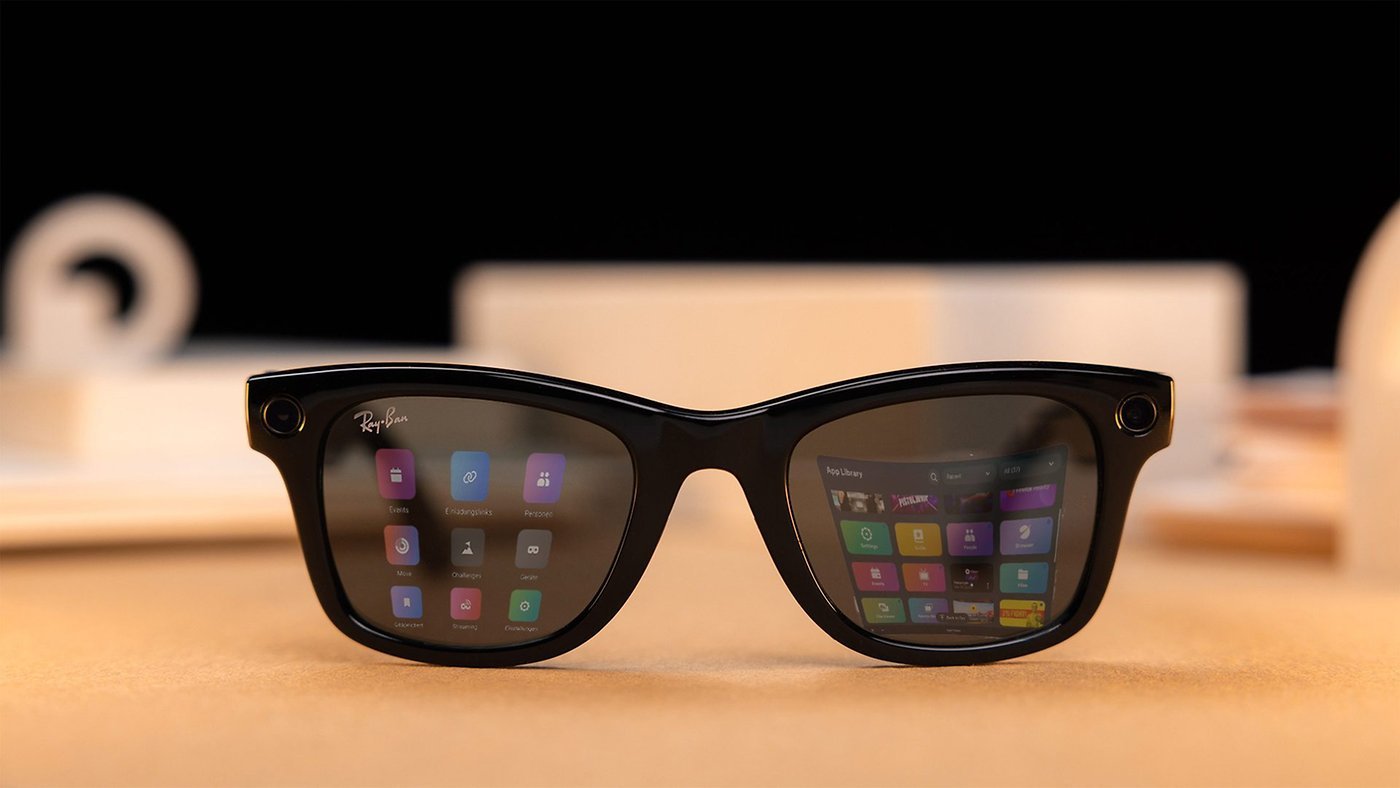
Meta Ray-Ban Smart Glasses 2.0 deliver a rare mix of style and subtle smart tech that fits right into my daily routine. I appreciate how they look like classic Ray-Bans yet pack enough features to make life a little more connected and convenient.
While they don’t offer the full AR experience some might expect the comfort and hands-free capabilities make them a standout choice for anyone who values both fashion and function. If you want wearable tech that’s practical and easy to live with these glasses are worth a look.
Frequently Asked Questions
What are the Meta Ray-Ban Smart Glasses 2.0?
The Meta Ray-Ban Smart Glasses 2.0 are wearable sunglasses with built-in smart technology, including cameras, speakers, microphones, and touch controls. They combine classic Ray-Ban style with hands-free photo-taking, real-time information, and voice command features powered by Meta AI.
What features set the Meta Ray-Ban Smart Glasses 2.0 apart from competitors?
Their key differentiator is the blend of iconic Ray-Ban styling with discreet technology, open-ear audio, dual 12MP cameras, and practical AR features managed through audio and a companion app, rather than bulky in-lens displays or overlays.
Are the Meta Ray-Ban Smart Glasses comfortable for everyday use?
Yes, they are designed to look and feel like regular Ray-Bans, offering lightweight comfort, classic styles, prescription and transition lens options, and water resistance (IPX4), making them suitable for daily wear.
How do you control the smart features on the glasses?
You can control the glasses through touch-sensitive panels, voice commands using Meta AI, and customization options in the Meta View app for iOS and Android devices.
What is the camera quality on the Meta Ray-Ban Smart Glasses 2.0?
The glasses feature upgraded dual 12MP ultra-wide cameras that capture sharper photos and smoother videos, particularly in well-lit conditions. Low-light performance is less robust compared to daytime use.
How long does the battery last on a single charge?
The battery typically lasts 6-8 hours, depending on usage. The included charging case allows for up to 36 hours of total battery life. Note that continuous video recording is limited to three minutes per session.
Are the Meta Ray-Ban Smart Glasses 2.0 compatible with my device?
Yes, the glasses are compatible with both iOS and Android devices. They use Wi-Fi 6 and Bluetooth 5.3 to ensure seamless connectivity and quick pairing with the Meta View app.
Is my privacy protected when using these glasses?
Privacy controls are available through the Meta View app, allowing you to manage voice data and other settings. However, users should be mindful of discreet recording features that may raise privacy concerns in public.
Can I use the smart glasses for making calls and listening to music?
Yes, built-in speakers and a five-microphone array allow for hands-free calls and music playback, delivering clear audio while keeping your ears open to the environment.
Are there any drawbacks to the Meta Ray-Ban Smart Glasses 2.0?
Limitations include basic AR features (no immersive overlays), relatively short video recording times, moderate battery life for heavy users, and a starting price of $299, with extra costs for prescription lenses. Privacy may also be a concern due to the discreet design.